
BRC Nextflow Workshop
From “Hello Nextflow” to Your First Pipeline
Join the NC State Bioinformatics Research Center for a hands-on, 1.5-day workshop introducing Nextflow, a workflow management system for building reproducible and scalable computational pipelines.
Participants will move from the foundations of Nextflow to building, containerizing, and running a complete bioinformatics pipeline on a SLURM-based HPC cluster.
Nextflow Workshop Prep
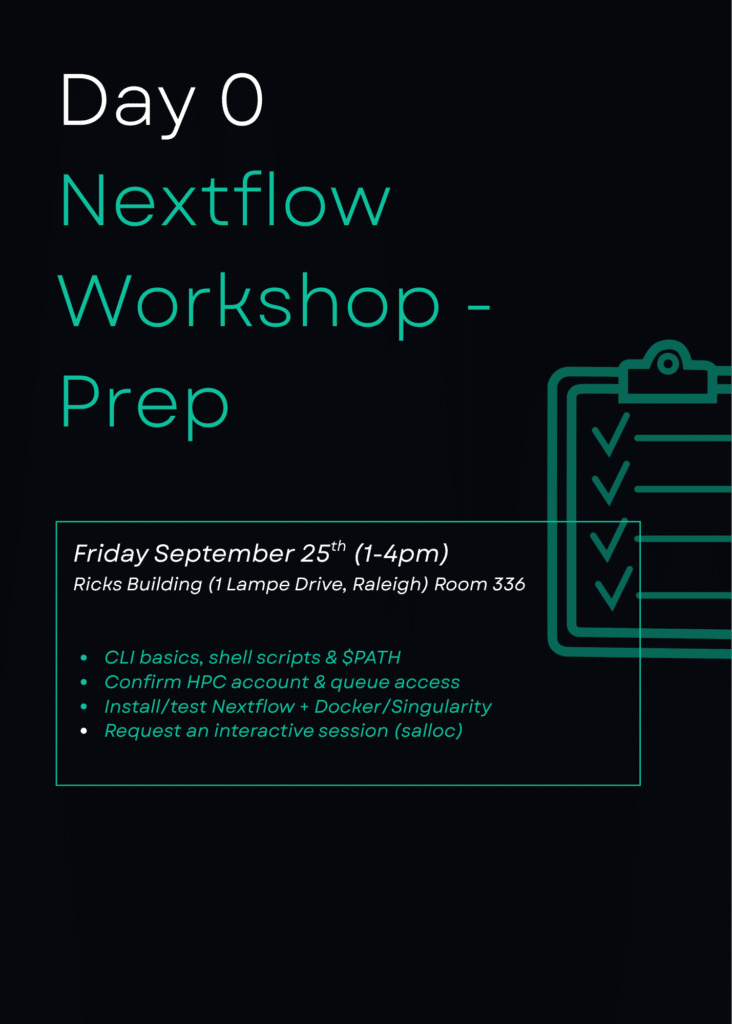
Day 0 is an optional preparation session designed to make sure participants have the command-line, HPC access, and software setup needed for the main workshop.
What We’ll Cover
- Command-line basics, including navigating directories, viewing files, piping commands, and editing files
- Shell scripts and
$PATH - Confirming HPC account and allocation/queue access
- Installing or testing Nextflow
- Confirming Docker or Singularity/Apptainer availability
- Running a short environment sanity-check script
- Requesting an interactive HPC session using
salloc - Loading required modules such as Nextflow and Singularity/Docker
NC State participants: We will help confirm your HPC account and allocation/queue access during Day 0.
External participants: You should already have an active account and allocation on your institution’s SLURM-based HPC cluster and know how to request an interactive session on that system.
[REGISTER]
Main Nextflow Workshop

What You’ll Learn
During this hands-on workshop, you will learn how to:
- Understand why workflow managers are useful for reproducibility, portability, and scalability
- Build your first Nextflow process and workflow
- Use channels to move data between processes
- Connect multiple processes into a bioinformatics pipeline
- Configure pipelines using parameters and Nextflow configuration files
- Organize processes into reusable modules
- Integrate containers using Singularity/Apptainer or Docker
- Configure Nextflow to run jobs through SLURM
- Build and run a complete bioinformatics workflow on an HPC cluster
By the end of the workshop, participants will have built, containerized, and run a complete four-step bioinformatics pipeline:
FASTQC → trimming → FASTQC → alignment
Workshop Schedule
Friday, October 2 — Foundations: Thinking in Channels and Processes
1:00–1:15 p.m. — Welcome & Why Nextflow
Learn why workflow managers are useful for reproducibility, portability, and scalability and where Nextflow fits alongside tools such as bash scripts, Snakemake, and WDL.
1:15–1:20 p.m. — Environment Check-In
Quickly confirm access to a SLURM-based HPC environment.
1:20–2:15 p.m. — Hello World: Your First Process
Explore the anatomy of a Nextflow process and workflow block and create a process that runs FASTQC on a sample file.
2:15–2:30 p.m. — Break
2:30–3:30 p.m. — Hello Channels: How Data Flows
Learn how Nextflow channels move data between processes, including fromPath, fromFilePairs, and basic operators such as map, view, and collect.
3:30–3:45 p.m. — Break
3:45–5:30 p.m. — Hello Workflow: Chaining Processes
Connect processes together to build a multi-step pipeline using FASTQC and trimming, with guided exercises for extending the workflow.
Saturday, October 3 — From Pipeline to Production
8:30–8:45 a.m. — Recap & Q&A
Review Friday’s material and prepare for the second day.
8:45–10:00 a.m. — Making It Configurable
Learn how to use parameters, nextflow.config, command-line overrides, -resume, and profiles to create more flexible workflows.
10:00–10:15 a.m. — Break
10:15–11:30 a.m. — Hello Modules: Organizing for Reuse
Move processes into reusable Nextflow module files and learn how modular organization helps larger pipelines.
11:30 a.m.–12:30 p.m. — Lunch
12:30–1:45 p.m. — Hello Containers: Portability
Learn how containers improve reproducibility and how to use Singularity/Apptainer or Docker with Nextflow.
1:45–2:00 p.m. — Break
2:00–3:30 p.m. — Running on SLURM
Configure Nextflow’s SLURM executor, specify compute resources, and submit a workflow to an HPC scheduler.
3:30–3:45 p.m. — Break
3:45–5:00 p.m. — Capstone: Build the Full Pipeline
Put everything together by building and running a complete bioinformatics pipeline on SLURM.
5:00–5:30 p.m. — Where to Go Next
Explore next steps, including nf-core, additional Nextflow training resources, and ways to continue developing your workflows.
Who This Workshop Is For
This workshop is designed for:
- Researchers who already run analyses on an HPC cluster and want to move from ad hoc bash scripts to a reproducible workflow manager
- Participants ranging from CLI beginners to comfortable bash users
- Anyone who wants to leave with a real, working first pipeline that can be expanded after the workshop
- Researchers with access to a SLURM-based HPC cluster at NC State or another institution
Prerequisites
Hardware & Access
Participants should have:
- A laptop that can SSH into a remote cluster
- Mac/Linux: native SSH
- Windows: WSL, PuTTY, or a similar tool
- Active access to a SLURM-based HPC cluster
- NC State participants: an active NC State HPC account with allocation/queue access
- External participants: an active account and allocation on your institution’s SLURM-based cluster
- Nextflow installed or available as a module on your cluster
- Singularity/Apptainer or Docker installed or available on your cluster
Please note: The BRC can assist NC State participants with confirming their HPC access during the preparation workshop. External participants are responsible for arranging access and allocation through their own institutions.
Skills You Should Already Have
Participants should have:
- Basic familiarity with starting an interactive session on their own HPC cluster using
sallocor their institution’s equivalent - Basic familiarity with environment modules such as
module loadandmodule avail - Basic exposure to containers such as Singularity/Apptainer or Docker
You do not need advanced command-line experience. Participants may range from newer CLI users to comfortable bash users.
Who This Workshop Is Not For
This workshop may not be the right fit for:
- Participants without access to a SLURM-based HPC cluster
- Complete computing beginners who have never used a terminal
- Participants seeking advanced nf-core internals, large-scale pipeline architecture, or advanced Groovy/DSL2 instruction
- Participants looking for an introduction to what containers are or how to build container images
- Participants using a computer that cannot SSH to an external HPC cluster